



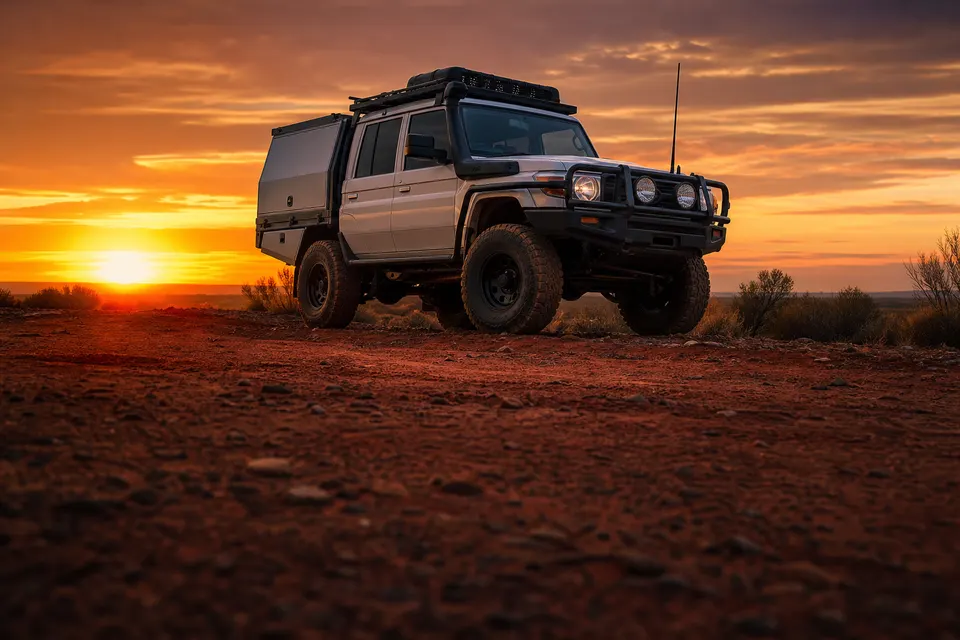

Add a vehicle simply using photos
Photograph the vehicle, the VIN plate and the odometer and I add it to the customer’s account, photos and all. No more typing in the VIN, make, model or odometer.
By hand 10 min With Roo 2 min
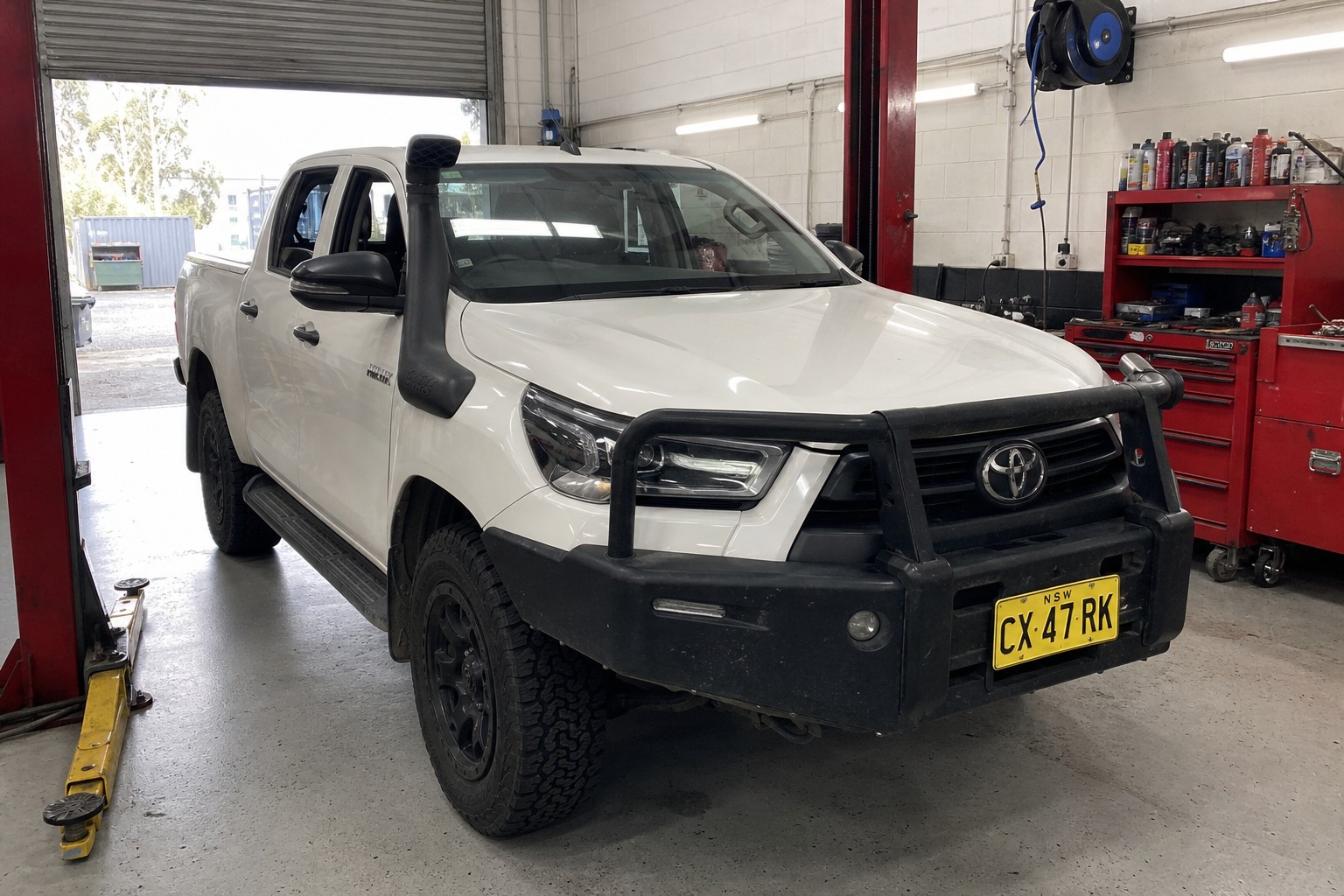
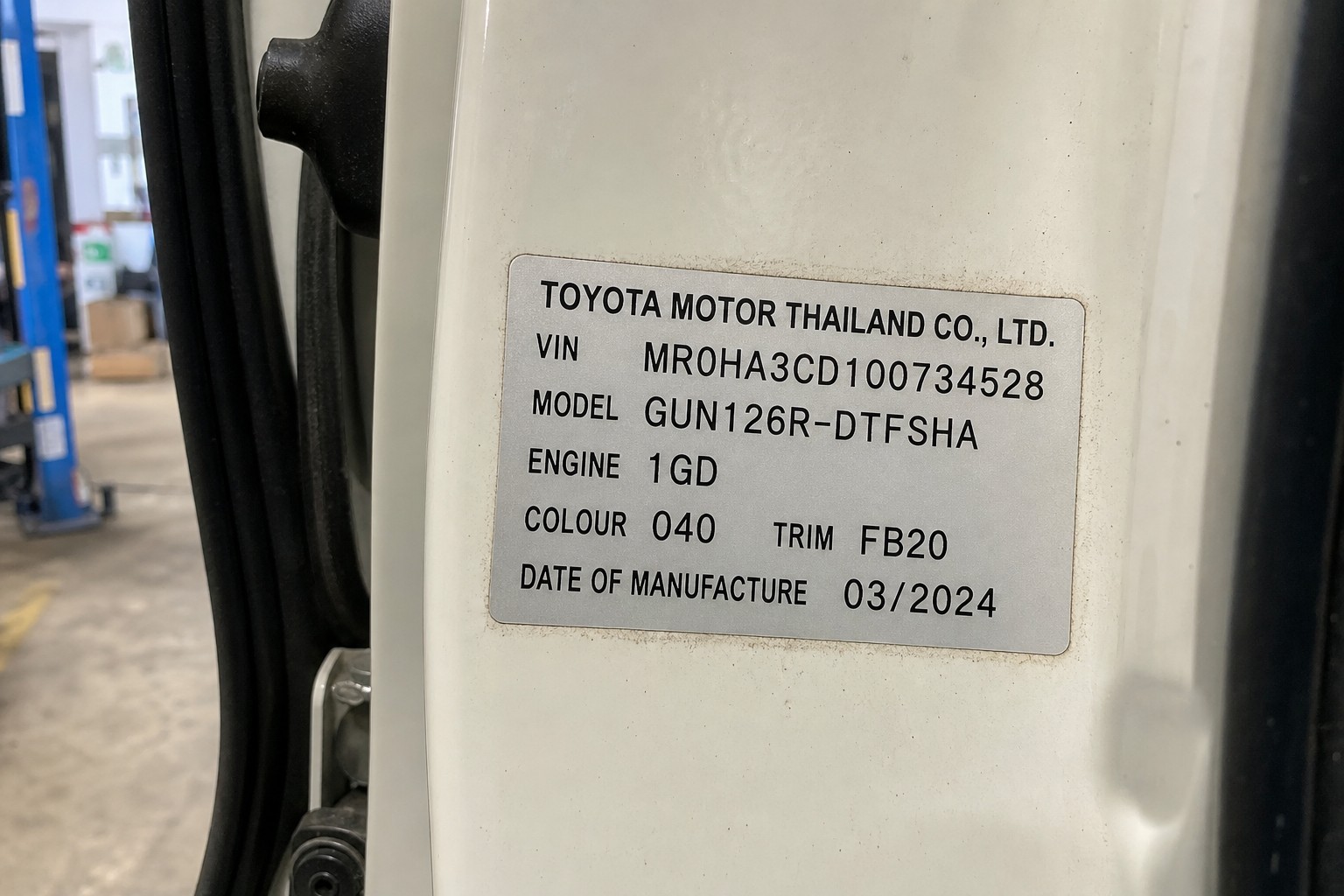
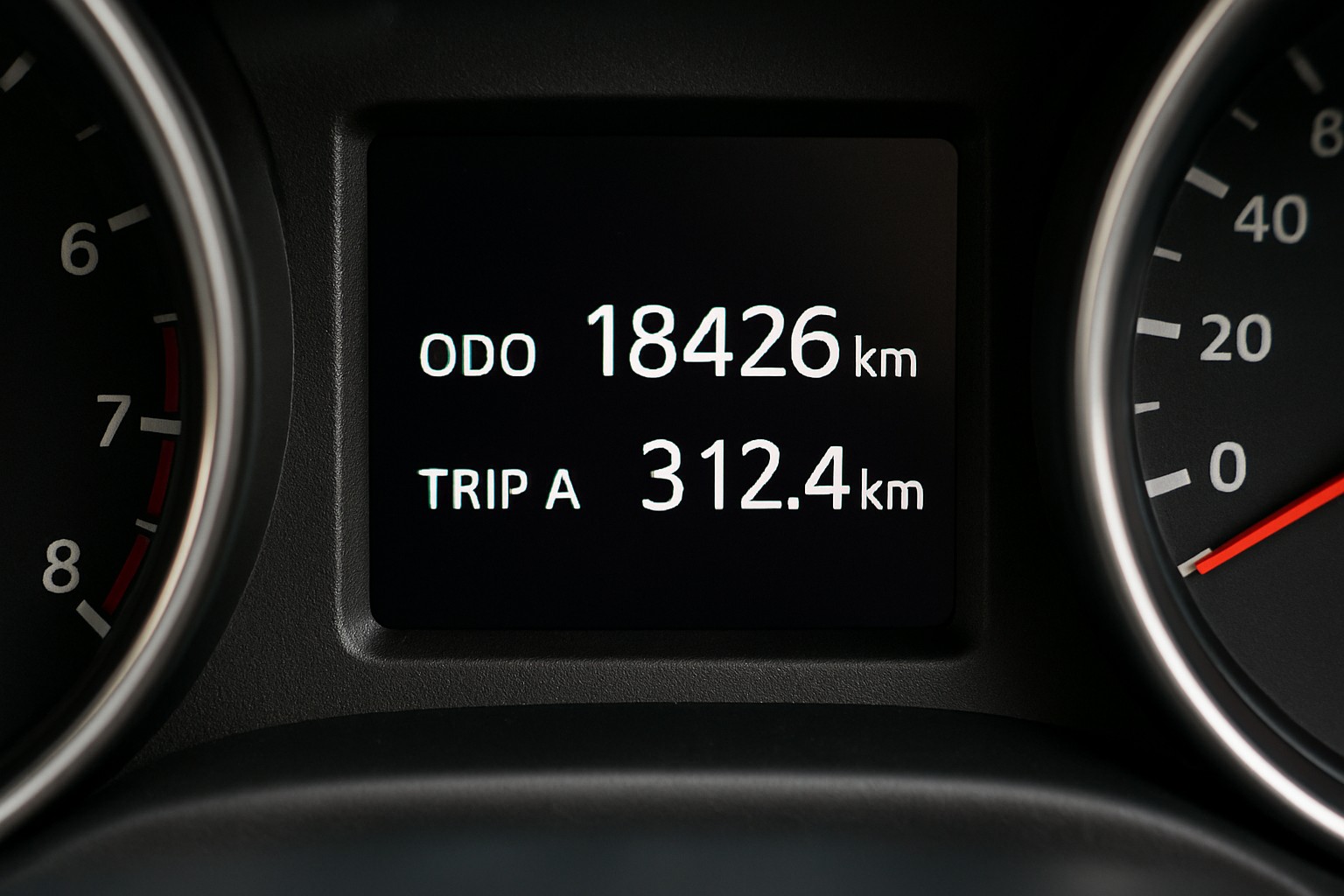
Added the 2024 Toyota Hilux, CX47RK, under Coastline Plumbing & Gas with 18,426 km and the VIN plate details. All three photos are filed on the vehicle.
- Created CX47RK · 2024 Toyota HiluxUndo
- Linked 3 photosUndo
Lightning speed data entry.
Supplier invoices become parts
Send me a photo or upload a PDF of a supplier invoice or purchase order. I read every line, create any parts you don’t have yet, price them with your markup and add them to the job card in seconds.
By hand 10 min With Roo < 1 min
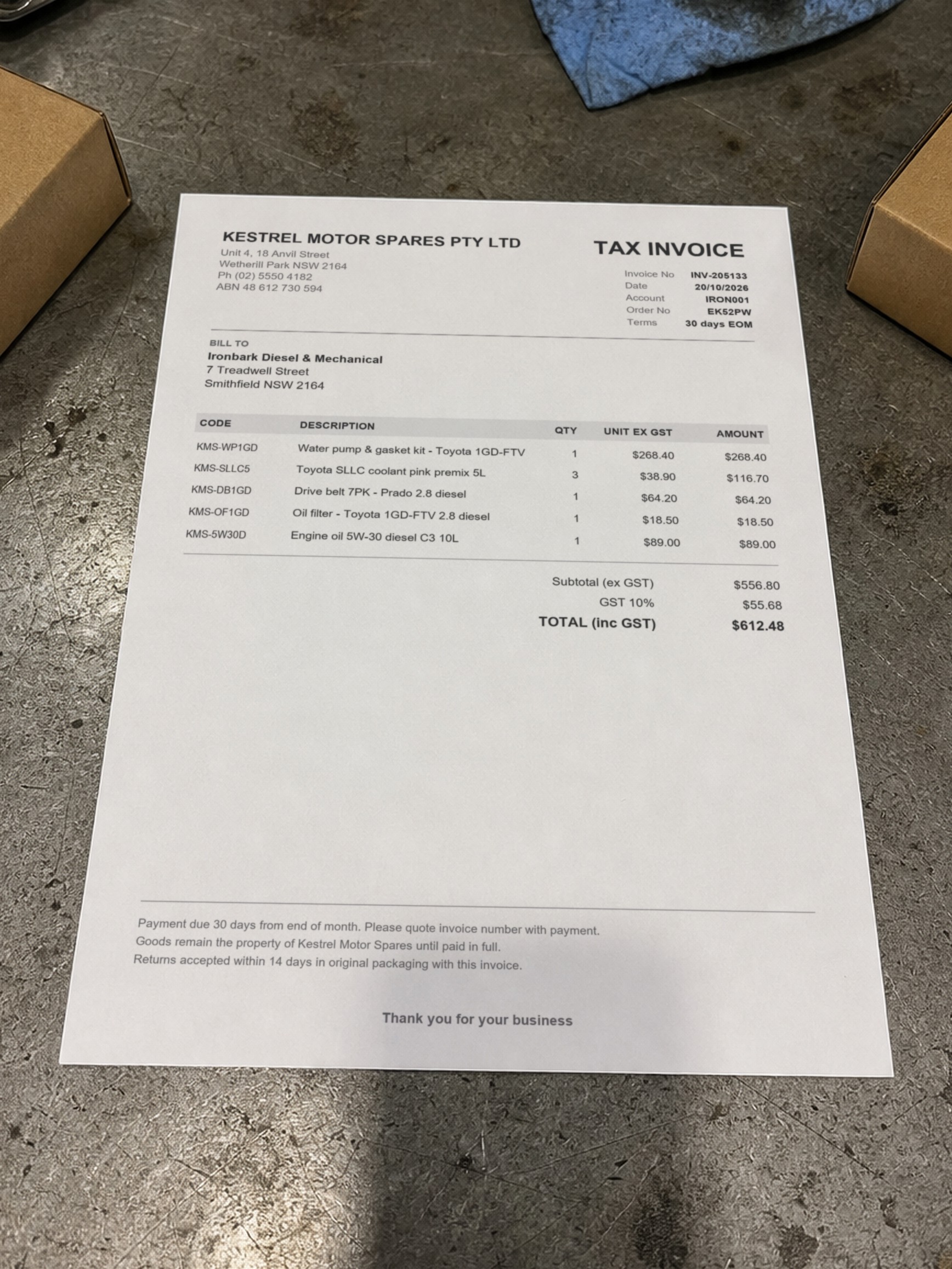
Added all five parts to the catalogue at invoice cost and onto the job with the standard 35% markup. The invoice photo is already attached to the job.
- Created KMS-WP1GD · Water pump & gasket kitUndo
- Added line 1 × Water pump & gasket kitUndo
- 8 more changes
Optimised for both mobile and desktop.
Bookings in plain English
Ask me what’s booked in, then book a job the way you’d say it. I make the booking and it appears in the calendar. Effortless.
By hand 5 min With Roo 1 min
Next week (26 October–1 November), there’s one booking:
• Tuesday 27 October, all day: Minor service and water pump replacement — JOB-1160. No mechanic assigned.
Booked CX47RK in for a 2-hour service next Tuesday, 27 October, from 9–11am.
- Created JOB-1161Undo
- Booked JOB-1161Undo
RobotRoo gives your workshop more time to do actual work.
For a workshop doing 25 jobs a week, we estimate that’s about 1,000 hours a year: half a full‑time person.
See how it adds up
| Who | Tasks | Saved per job | Hours a year |
|---|---|---|---|
| Adviser and office | Booking, invoice story, invoice check, parts, new vehicle, vehicle history, repair research | 42½ min | 850 h |
| Mechanics | Notes, clock-on and labour line | 9 min | 180 h |
| Whole workshop | 51½ min | 1,030 h |
Booking a job in
5 min1 min
Every job · Booked in 11 s
Mechanic notes
10 min2½ min
Every job · Spoken, not typed
Labour line and clock-on
2 min½ min
Every job · Done in 11 s
Customer story on the invoice
20 min2 min
Every job · Written from the mechanic’s notes
Invoice check before it goes out
10 min< 1 min
Every job · Checked in 8 s
Supplier invoice into parts
10 min< 1 min
1 job in 2 · Roo reads 5 lines in 22 s
New vehicle on file
10 min2 min
1 job in 5 · From three photos in 31 s
Vehicle history lookup
15 min1 min
1 job in 5 · Answered in 19 s
Repair research
60 min8 min
1 job in 20 · Runs in the background
Our estimate, from 25 jobs a week and 48 weeks a year.
I remember every job, so you don’t have to.
Vehicle history
Ask me about a vehicle and I read its past jobs for the dates, readings and notes. Nobody has to dig through old job cards.
By hand 15 min With Roo 1 min
For EK52PW:
- Coolant: The current job, JOB-1160, already records a flush and refill with Toyota pink premix during the water pump replacement. It’s still in progress, so there’s no confirmed completion date. The previous dated replacement was 12 June 2025 (JOB-1135) at 119,850 km—flushed and refilled with 12 L of Toyota pink 50/50 premix.
- Last brake report — 8 April 2026 (JOB-1136), 139,620 km: Front pads 7 mm, even wear; rear pads 6 mm. Front rotors 31.4 mm (minimum 30 mm), lightly scored; rear rotors 16.8 mm (minimum 16 mm). Brake fluid 1% moisture, OK and not changed. Handbrake and road test both OK.
Before you quote, I’ll do the research.
Research before you quote
I search the internet for repair procedures, recalls and bulletins, warnings, labour times and parts, with links to the sources. Recommended parts go straight onto the quote.
By hand 60 min With Roo 8 min
Web research
13 sources consulted · the Prado’s water pump job, from the video
No water-pump safety recall or Australian water-pump bulletin specifically applicable to this 2017 Prado 1GD was verified; Toyota’s VIN checker is still required to establish outstanding campaigns.
toyota.com.auvehiclerecalls.gov.aucoffsharbourtoyota.com.au+10 more
Recalls and bulletins
4 recalls · 1 bulletin
None marked high relevance
Warnings
5 warnings
1 high severity
Labour
No book time found
Workshop allowance 3.15 h, medium confidence
Parts
Water-pump assembly — genuine option
4 options in Parts
- Warning · high severityRecall status remains unconfirmed without a VIN check.
- Warning · mediumPump bolts have two specified lengths, 45 mm and 65 mm. Preserve their positions and obtain the tightening-sequence illustration.
- Warning · mediumDo not confuse this 1GD’s timing-chain architecture with older 1KD timing-belt work.
Is Ben clocked off? Just ask.
Clocking on and timesheets
Mechanics clock on to a job line, or ask me to do it. Timesheets show each mechanic’s time on jobs per day, with corrections and a CSV export.
By hand 2 min With Roo ½ min
Added 3 hours labour to the Prado’s service and water pump job, and clocked Ben on to that labour line.
- Added line 3 × LabourUndo
- Clocked on JOB-1160Undo
Hands dirty? Just talk.
Voice notes replace paperwork
Mechanics hold the mic and talk. I write the note onto the job, word for word.
There’s no paper job card to collect. The service manager doesn’t copy hand-written notes into the computer or have to work out what the mechanic meant.
By hand 10 min With Roo 2½ min
“Mechanic notes for the Prado. Yes so the water pump was weeping out the weep hole, pink crust all down the front of the block and on the belt. Pulled the fan and the belt off, old pump come off, gasket was cooked too…”
Added your words to the Prado’s mechanic notes as dictated.
- Updated JOB-1160Undo
Your mechanic’s words, written for the customer.
Invoice stories from the mechanic’s notes
I write the story the customer reads on the invoice, from the mechanic’s notes. I can learn your workshop’s writing style from your job cards, use a preset, or follow a style you write yourself.
By hand 20 min With Roo 2 min
From Ben’s words to the invoice
Ben Walker
Mechanic · voice note on JOB-1160
Mechanic notes for the Prado. Yes so the water pump was weeping out the weep hole, pink crust all down the front of the block and on the belt. Pulled the fan and the belt off, old pump come off, gasket was cooked too. Cleaned up the face, new pump and gasket on, torqued her up, chucked a new belt on cause the old one had coolant all over it. Flushed the system, filled it with the Toyota pink premix, bled it, ran it up to temp, no leaks, thermo fans kicking in fine. Started the service while it was in, oil and filter. All good now, just keep an eye on the coolant level for the next week or so.
Ironbark Diesel & Mechanical
TAX INVOICE
JOB-1160
Invoice notes, written by Roo
Water pump replacement and minor service
- Found
- Coolant leaking from the water pump, with residue down the front of the engine and on the drive belt. The pump gasket had failed.
- Done
- Replaced the water pump and gasket
- Replaced the drive belt, which was soaked in coolant
- Flushed, refilled and bled the cooling system with Toyota coolant
- Changed the engine oil and oil filter
- Checked
- No leaks at operating temperature. Cooling fans working correctly.
- Next
- Please check the coolant level over the next week.
Water pump replacement and minor service
- Found
- Coolant leaking from the water pump, with residue down the front of the engine and on the drive belt. The pump gasket had failed.
- Done
- Replaced the water pump and gasket
- Replaced the drive belt, which was soaked in coolant
- Flushed, refilled and bled the cooling system with Toyota coolant
- Changed the engine oil and oil filter
- Checked
- No leaks at operating temperature. Cooling fans working correctly.
- Next
- Please check the coolant level over the next week.
We found your Prado’s water pump was leaking coolant, leaving pink residue down the front of the engine and on the drive belt. We replaced the pump and gasket, cleaned the sealing surface and fitted a new belt because the old one was covered in coolant.
We flushed the cooling system, refilled it with Toyota pink coolant and bled out the air. We ran the engine up to temperature and found no leaks, with the cooling fans working properly. We also changed the engine oil and filter for your minor service. Keep an eye on the coolant level over the next week or so.
Call or drop in if you’ve got any questions.
Minor service and water pump replacement completed.
Work completed:
- Replaced the leaking water pump and damaged gasket after cleaning the mounting surface.
- Replaced the drive belt due to coolant contamination.
- Flushed the cooling system, refilled with Toyota pink premix coolant and bled out air.
- Changed the engine oil and oil filter as part of the minor service.
Checks:
- Ran the engine to operating temperature and found no coolant leaks.
- Confirmed the cooling fans operated correctly.
Recommendations:
- Keep an eye on the coolant level over the next week.
- Replaced water pump and gasket.
- Replaced drive belt.
- Flushed, refilled and bled cooling system; checked for leaks.
- Changed engine oil and oil filter.
- Keep an eye on the coolant level for the next week.
Findings:
The water pump was seeping coolant from its drain hole, leaving pink residue down the front of the engine and on the drive belt. The pump gasket had also deteriorated.
Work completed:
Replaced the water pump and gasket, cleaned the mounting face and replaced the coolant-contaminated drive belt. Flushed the cooling system, refilled it with Toyota pink premix coolant and bled out the air. Ran the engine to operating temperature; no leaks were found and the cooling fans operated correctly.
Completed the minor service with an engine oil and filter change.
Monitor the coolant level over the next week.
WATER PUMP - COOLANT LEAK
Found water pump weeping from the weep hole, with pink coolant residue down the front of the block and on the drive belt
Remove the fan, drive belt and water pump - pump gasket deteriorated
Clean the mounting face
Replaced the water pump and gasket, tension to specs
Replaced the coolant-contaminated drive belt
Flush the cooling system, fill with Toyota pink premix coolant and bleed
Run the engine to operating temperature - no leaks, thermo fans operating correctly
MINOR SERVICE
Replaced the engine oil and oil filter
ITEMS TO REPLACE, REPAIR, MONITOR
Monitor the coolant level over the next week
Before it goes out, I’ll check it.
Stop missing billable work
Ask me to check an invoice against the work before it goes out. I compare the job’s lines with the mechanic’s notes, and tell you what’s missing.
By hand 10 min With Roo < 1 min
Yes—the replacement drive belt is missing from the invoice. The mechanic’s notes say a new belt was fitted because the old one was coolant-contaminated, but there’s no belt charge.
Added the Prado drive belt to the invoice at $86.67 ex GST ($95.34 inc GST). No extra labour added.
- Added line 1 × Drive belt 7PK - Prado 2.8 dieselUndo
Impress customers with professional invoices.
Professional invoices
This is the invoice Tegan gets for her Prado: the minor service and the water pump work grouped on their own lines, the drive belt I added in the check, GST, how to pay, and the story I wrote from Ben’s voice note. Your logo, colours, ABN, repairer licence and bank details go on invoices.

Most workshops give me handwritten invoices and I don’t know what they have done. I love how your invoices are so detailed.
I’m in the team chat too.
Team messages, with me in them
Direct messages, groups and workshop announcements. Mention @Roo in a group and I answer there, or turn a message into a to-do on the workshop’s list, or on a job, customer or vehicle.
Kate Murray
Jess Tran
Added to the Workshop to-do list for Friday 23 October: Mick to pick up BBQ meat and bread rolls in the morning.
- Added to-do Pick up BBQ meat and bread rolls on Friday morningUndo
Future features
We’re always working on something new. More features, smarter tools and continuous improvements to help your business run better.
A customer app is in active development.
The customer app in development
We’re developing a customer app in your workshop’s name. Customers will see their vehicles, accept quotes, view invoices and message you. Ask me to change a quote and I’ll draft your reply. We also plan to add card payments, with customers tapping their card on your phone.
Tegan Holloway, in the customer app
Added the 650/450 mm wiper blade set to Tegan’s Prado quote, matching JOB-1135 for EK52PW, at the same $62 ex GST.
- Added line 1 × Wiper blade set - Prado 150 series, 650/450 mmUndo
To Tegan: drafted by Roo, sent by Mick
Changed your mind? Undo.
Undo my changes
My changes show in the chat; supported changes can be undone. Each job keeps a log of its changes, and whether a person or I made them.
Moved JOB-1009’s due date to Friday, 23 October.
- Updated JOB-1009Undo
Every job, on one screen.
Job Centre
Every job as a card: the vehicle photo, status, rego and vehicle, due date with days left, and price. Open a job full screen, and its own chat lets you ask me to change it.
Connects to Xero
- Invoices go to XeroInvoices, payments and credit notes are sent to your Xero account, including voided and reissued invoices.
- Line by lineDiscounts and GST-free customers carry through to Xero on every line.
Design and usability
We're obsessed with both. Software a workshop uses all day should be clear at a glance and quick to get around, on a phone in the bay or a computer at the counter.
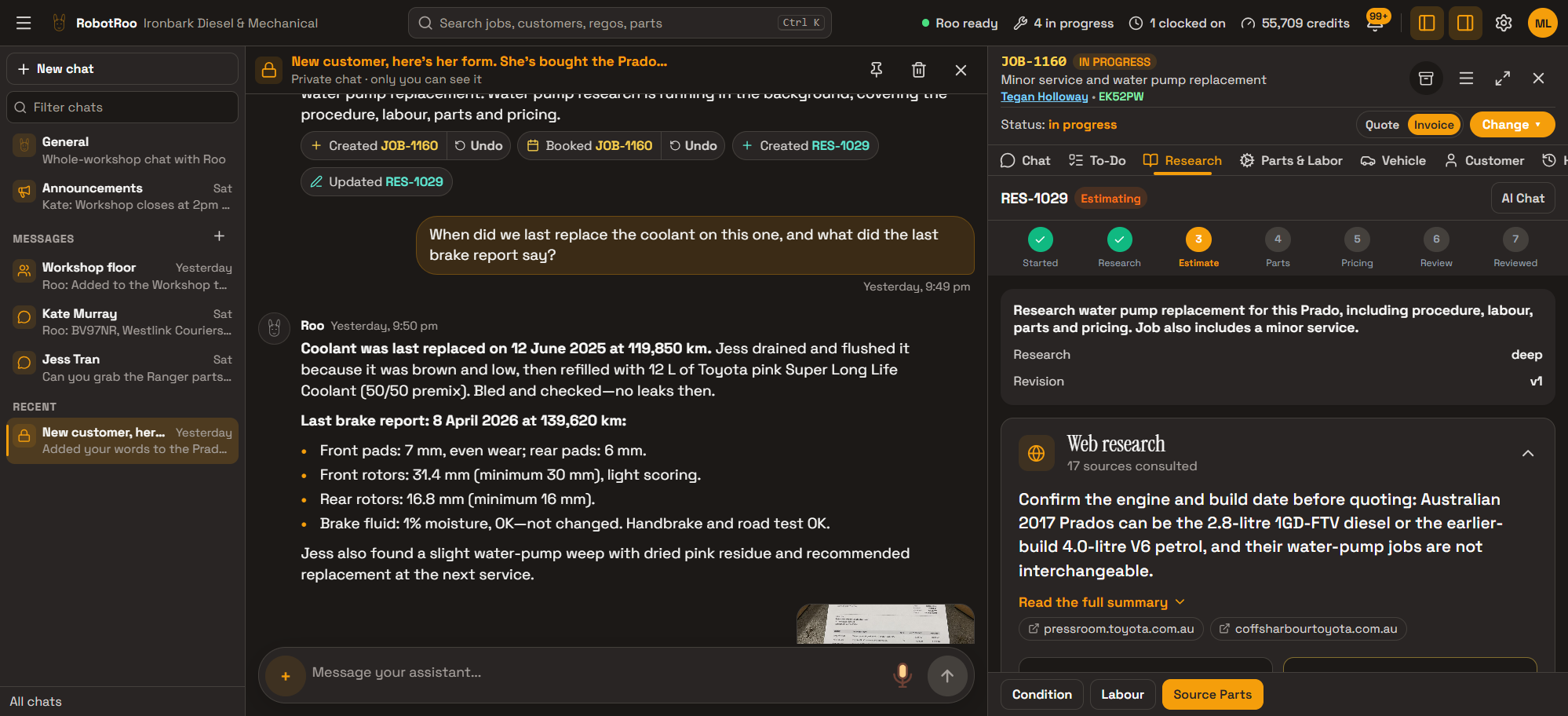
You don’t even have to learn RobotRoo.
I help with your workshop tasks. If you need to know how something works, just ask me. I answer with a link straight to the screen or setting you need, and, where I can, offer to make the change myself.
Here: Theme. Pick Light, Dark, Midnight, Sunset or Neon Red—it changes straight away.
It’s saved on this device only, so set it separately on each phone or computer you use.
Here: Pricing. Under Settings › Pricing, update your standard labour rate per hour, excluding GST. Owners and managers can change it.
I can set it for you—just tell me the new rate and whether it includes GST.
Here: Team. Tap Create Account, enter their name and email, and select the Mechanic role. Give them the temporary password shown so they can sign in.
Owners and managers can manage the team.
Here: Business Profile. Under Settings › Business Profile, change the business name or trading name used on invoices and quotes. Owners and managers can change these details.
I can update it for you—just tell me the new name.
Here: Pricing. Under Settings › Pricing, change the default parts markup percentage. Owners and managers can change it; 35% markup turns a $100 cost into a $135 sell price, excluding GST.
I can set it for you—just tell me the percentage.
Your data
- It belongs to your workshop.Your customers, vehicles and jobs are your workshop's data.
- Stored on RobotRoo's own server in Australia.Backed up to an encrypted drive, also in Australia.
- We only use OpenAI and Anthropic models to process data.Both have strict data policies.
- Your data, your choice.The owner can download all the workshop’s data, or close the workshop, in Settings. Our Website privacy explains deletion and retention.
Moving across
Tell us what software you use when you register interest. We’ll assess how to bring your data across.
What you need
A phone, tablet or computer with a web browser. RobotRoo runs in the browser, so there's nothing to install.
Questions
Can I bring my data across?
Tell us what software you use, and we’ll assess how to bring your data across.
Does it work with Xero?
Yes. RobotRoo integrates with the accounting software Xero.
Do I have to use Roo for everything?
No. RobotRoo has full screens for jobs, customers, vehicles, parts, quotes, invoices, the calendar and the team. I’m here so you don’t have to use them for routine work.
What if Roo gets something wrong?
My changes show in the chat, and most have an Undo button. Each job’s Activity tab records who changed what.
Which AI does Roo use?
I run on both OpenAI’s and Anthropic’s models.
Who owns my data?
Your workshop does. See Your data.
This is all cool, but honestly, you won’t need the screens much. Most of the work can be done from your phone, with your voice and the camera.
Register interest
RobotRoo is in early access. Tell us about your workshop and the software you use now. Questions are welcome in the same form.
Registering sets up your RobotRoo account. We'll be in touch, and once your workshop is approved you sign in with the email and password you chose.